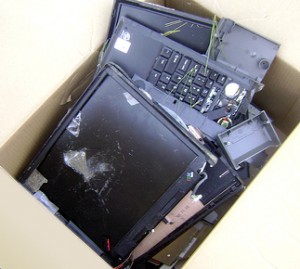
Before I start talking computer repair, I offer three caveats. First, I have no formal training in diagnosing, repairing, or even using computers. Second, I have no experience with repairing an Apple or Mac computer. Third, all of the below only applies to laptop repair. Its incredibly easy to swap out components on a desktop.
When I’m not buying computer or electronics components online, I like Best Buy for products and Fry’s for components. However, I would never have a computer diagnosed or repaired by either place.
First, let’s recognize that a big box store has certain priorities. As such, their staff are trained to sell, not to diagnose or repair. I imagine their priorities are, in order: (1) Sell you things, (2) sell you warranties for things, (3) sell you new things, and (4) sell you warranties for those new things, (5) LLR. 4 From a capitalistic perspective, its hard to argue with a business plan like this.
A little burned out component on the motherboard takes very special equipment and skill to replace. When faced with such a problem you can replace the entire computer, the motherboard5 , or just that one component.
From calling numerous computer repair facilities, I know very few of them have the special equipment and skill required to replace a single tiny component on a motherboard. If dedicated repair facilities do not typically have this equipment, I doubt big box stores would be up to the task.
I think everyone’s heard the horror stories or seen the TV investigations of big box computer store repair services scamming unwary or uninformed consumers. I have friends who hired Best Buy’s “Geek Squad” and still didn’t have their problems fixed.
If I were a very cynical person6 I’d suggest that big box stores hire untrained staff who have a vested interest in charging a diagnostic fee to tell you that your computer and all your data is beyond recovery.
Luckily, I believe the third option, finding a reliable dedicated computer repair shop, is your best bet.
Before I start talking computer repair, I offer three caveats. First, I have no formal training in diagnosing, repairing, or even using computers. Second, I have no experience with repairing an Apple or Mac computer. Third, all of the below only applies to laptop repair. Its incredibly easy to swap out components on a desktop.
When my laptop died back I Googled and called around trying to find and decide upon someone to repair my laptop. There are several possible options when it comes to choosing a laptop repairer. When your laptop is still under warranty, its a no-brainer to send it back to the manufacturer. 3 But, what about a computer that’s either no longer in warranty or with no warranty?
Option 1: Manufacturer
I’ve owned three laptops – a Compaq, a Dell, and then another Dell. On the one hand, I never had to call Compaq for technical support. On the other hand, by the time the laptop was three years old it was in pretty bad shape.
I called Dell first. Sure, I’d had truly terrible experiences with Dell tech support in the past.4 I figured it couldn’t possibly have gotten worse, right?5
Dell offered a three stop process to fix the problem:
Phone diagnostic. $50.00.
Selling me new parts6 and walking me through the repair over the phone. $200.00 – $300.00.
Sending in the laptop to Dell for repair. $300.00 – $500.00.
There are several problems with Dell’s repair process. First, its tremendously time consuming. Second, most of Dell’s processes are developed with the idea that the user is the most common problem. Third, if you have an actual problem you are all but guarrantted to spend more money than the computer is worth. Fourth, Dell tech support is just about the worst ever.
Time Consuming
Dell tech support is nothing if not standardized. Their tech support staff all have binders7 which list tons of symptoms, diagnostic tests, and possible fixes. But, before you even start such a scenario you will be asked to check all cables, that everything is plugged in, and restart your computer several times. Even if you eliminate all time you spend on hold, that’s half an hour right there.
By the time you’ve run through a few diagnostic programs, you’ve easily spent two hours on the phone.
Computer Users Are The Problem
As best as I can tell, Dell’s tech support binder has them verify that the problem is not the user, then not software, then not user-replaceable hardware, then not Dell-replaceable hardware. Obviously, their goal is to minimize tech support time by ruling out simple issues, and thereby minimizing costs.
I’m not saying this is a bad system. But, if the problem is obviously a hardware problem, restarting the computer or dimming the monitor isn’t going to help. I have sent in two Dell laptops becuase the left mouse click button stopped springing back up. After fully describing the problem several times, they still asked me to fiddle with the battery, check that the laptop was plugged in, etc.
The problem is that by requiring you go through the Dell checklist of basic problems with their tech support staff, they are guarranting that every single call, no matter how trivial, will require a minimum of 30-45 minutes.
My former “left mouse button won’t pop back up” problem is really a 5 minute phone call that should go something like this:
Jay calls Dell.
“Hi, my name is Roger, please state the nature of your technical emergency.”8
Jay: “Hi Roger, I have a Dell XPS 1210 and the left mouse button won’t pop back up.”
Roger: “Hmm. Well, try tapping the button. Does that work?”
Jay: “No, that doesn’t seem to work.”
Roger: “Hmm. Can you see anything jammed in there?”
Jay: “Nope.”
Roger: “Yeah, that was a longshot. Okay, well, I’ll send you a box and a shipping label.”
Jay gives Roger his information and is happy with Dell service.
Ideally, Dell would have a way to jump past certain steps. Perhaps by answering a computer trivia question or by hitting “3” for “I have performed all basic rudimentary tests and diagnostics and know what I’m doing.”
Or, more likely: “I have checked all cables, restarted the computer, removed the battery, reinserted the battery, restarted again, booted into Safe Mode, restarted, booted into the command prompt, booted back in Safe Mode, restarted, booted from a recovery disk, restarted, restarted, booted from a Linux CD, restarted, wished on a falling star, and my brand new laptop still arrived with a giant gaping hole in the middle of the screen.”9
Dell’s Guaranteed Expensive Fix
If your computer has an actual hardware problem, and you’re trying to get Dell to fix it, you’re all but guaranteed to spend more money than the computer is worth. If your laptop is out of warranty, then its probably more than a year old. If you go through Dell’s repair process above (phone diagnostic, user-repair, Dell repair), you’re going to spend a minimum of $550.00. This is a losing proposition. Unless you have a high end gaming rig, it probably cost between $750.00 to $1,500.00.
Dell’s tech support is the opposite of helpful. Their tech support personnel are trained to read from their scripts, repeat what you say as if they understood the problem, and then simply do the next thing on the script. Any request for deviation from the script results in a denial or, best case scenario, holding for ten minutes while they find out from their supervisor the reason for denying your request.
You can eventually get what you want from Dell’s technical support, but you better be prepared to fight like hell for it. You will need to argue and haggle with two layers of technical support grunts and as many supervisors as it takes to reach a technical support person located in the United States.
Even if Dell agrees to repair your laptop in an acceptable fashion, you’ve probably 10 hours in the process. Add this to the actual cost of the repair and its a losing proposition.
Look, I’m Indian and I hate Dell’s Indian tech support.
MicroSoft has no one to blame but themselves for my deleting MicroSoft Office. Well, its partly Dell’s fault too, but that’s a long story I’ll tell some other time. (Short version: Dell repaired a prior laptop and shipped it to a construction site in Oakland.)
OpenOffice.org released version 3.0 of their program on October 13, 2008. It was so wildly popular that their website was crushed under the overwhelming demand. The three most important things to know about OpenOffice are:
Its open source, so its completely free. So, there’s no reason not to give it a shot.
It can open, edit, and save to any MS Office 2000, 2003, 2007, and WordPerfect formats.
It can print or export any file to a PDF.
If you’re a Workers’ Compensation professional in California, you’re probably dealing with EAMS. Since filing things with EAMS means working with a lot of PDF’s. In order to keep from reinventing the wheel, it makes sense to save those PDF’s of the document cover sheets. But what if you need to make a small change later on? Well, OpenOffice v3.0 can help with that too.
Using an extension((basically a small program)) OpenOffice can open and edit and re-save a PDF file. Not even Adobe, the company that promotes the PDF format1 , does a good job of opening and editing PDF’s.
This is a really big deal to me because editing saved PDF’s is going to save me a lot of time editing settlement documents and various pleadings.
Update
I wrote the above about a month ago while I gave OpenOffice 3.0 a shot. It won’t install on my Vista laptop but works great on my XP desktop. I’ve reverted to OpenOffice 2.4 on the laptop while I wait for a fix. OpenOffice 2.4 is still free, but it won’t open MS Office 2007 formats (which not everyone is using anyhow) and cannot edit PDFs.
A little over a month ago my laptop died. I took it to a shop in Contra Costa County named, “Paramount Technologies” who were able to fix up my laptop in record time. 1 Apparently, the problem was the video chip which had loosened from the motherboard over time (probably through overuse).
Friday evening my laptop died all over again. At least it was peaceful. I put my laptop to sleep and it didn’t wake up again.
Yeah, I said it. And, I don’t care that it sounds ridiculously self-serving. Frankly, I think iTunes, MySpace, and instant messaging are to blame. These three things, more than anything else, made computers cool.
You think mechanics and handymen were always considered cool manly-men? No way. First cars and home improvement had to be cool. THEN the guys who fix/maintain those things became cool.
There was a day when computers and the internet were only good for word processing and searching libraries. When these things were not indispensable, there were no real uses for nerds. You know, besides copying their homework.
I think the first time anyone ever thought I was cool for being a nerd was when I was in law school. A fellow law student had a floppy disk (yeah, it was that long ago…) that stopped working. The campus tech guys were unable to do anything about it. I asked if I could take a look – and was able to recover the data.
...To Cool Nerds
These days a nerd can save your iPod, iPhone, laptop, recover your lost passwords, convert your files, and set up your wireless network. They keep your computers virus free, network humming along, and your e-mails arriving right on time.
My laptop is back, up and running! I truly cannot explain just how happy I am that I have it back.
Scotty
As I mentioned earlier, my laptop stopped working on the Sunday night before last. The next day I stopped by a local Fry’s Electronics and picked up a hard drive enclosure for my laptop’s hard drive. This solved my initial problem, being cut off from my data, by allowing me to schlep my laptop’s hard drive with me. Even though I had my data with me, I didn’t have my laptop with me. I constantly felt as if I had lost my wallet or cell phone. A disconcerting feeling, to say the least.
On Friday afternoon I took my laptop to a local repair shop, Paramount Technology, and, after talking with the proprietor for a few minutes, left my laptop with them at about 12:30pm. He estimated they might have it ready on Tuesday; Monday at the earliest.
They called my cell less than three hours later to tell me my laptop was fixed.
Everyone knows how Captain Kirk would ask the impossible of Scotty. Like clockwork, Scotty would bitch and moan about how he could not perform the impossible. And, yet, when crunch time came, the polarity was reversed, dilithium crystals realigned, and they had warp engines back on line.
They did a great job, warranting their work for 90 days, had my laptop repaired in record time, and didn’t scratch my baby. (FYI, Dell offers a whopping 30 day warranty on their work. In the words of Govenor Palin, “Thanks, but no thanks.”)
I don’t care if they were practicing “under promise and over deliver.” Paramount Technology has earned my business and my recommendation.
September 2008 was a pretty good month for PDRater.com. Yay! ((Original photo courtesy of Daniel Martini. Mad photoshop skillz, all mine!))
Not so good for the economy. Boo! Perhaps this website needs a new, darker, tagline? How about: “When you’ve lost everything else, you’ve still got PDRater.com”
Here’s my favorite posts from this past month.
I had the most fun with the “End of the World” posts from mid-September. If you read nothing else, check out the one labeled, “The End of the World: A To Do List“. That one is worth a look for my mad photoshop skillz alone.
For the more practical minded, the Road Warrior Checklists might be helpful. I think I’ve got at least one more “Road Warrior Checklist” in me. Also, I’ve provided some advice on what to do when your laptop stops working.
With the EAMS Body Part Codes search engine, you can search for the EAMS code associated with a body part of your choice. And, just in case you receive an Application for Adjudication of Claim or some document referencing the EAMS Body Part Code, you can even do a reverse lookup – searching by the EAMS Body Part Code!
Calculator
I was so happy to get my laptop back I built a whole new EAMS search engine and a better way to access forms. After having a hell of a time trying to locate the proper document type and document title on Friday I decided to make this my next project.
With the new EAMS forms on the DWC forms page, you now have a bewilderingly large number of forms to search through in order to find the one you need. Not only do you have to look through the 136 different forms offered by the page, but the EAMS forms are not easily distinguishable from the non-EAMS forms.
What I’ve done is create an EAMS and DWC forms search engine which scans through the DWC’s lists of forms by the form type, form name, and form number, and generates a list of just the forms which fit your search. On my forms search engine, the EAMS forms will be highlighted so you know its an EAMS form at a glance.
Cost is probably the single biggest deciding factor. The good news is that your laptop can probably be repaired. Sight unseen, it will probably cost you between $200.00 and $500.00 including parts and labor. A new laptop will cost you roughly $500.00 for a bare bones machine, $1,250.00 for a nice machine, and $2,500.00 and up for a ridiculously powerful machine.
Lifetime
For most people a computer has a 3 year timeline of usefulness. After that something about the computer will be too outdated to be of use beyond basic usage. If your computer is more than 3 years old, you’ve had a good run. Replace the poor thing.
Time & Need
If you need a computer for your business, every hour without your computer means you’re losing money. If you don’t need it for your business, you’ve got more time to decide. Your time is important and your downtime is even more important.
Formula
Here’s my totally unscientific and completely quantifiable formula for determining with nearly totally complete guesstimate-approximation of whether you should repair or replace your laptop. First, let’s assume a constant – the amount you would spend on a new laptop and set that equal to the original purchase price of your current broken laptop. The formula is as follows: