Quick, how are rum distillers, stockcar race track owners, wool researchers, TV and movie producers, and wooden arrows different from middle class home owners?1
Why's the rum gone?
Give up? The home owners aren’t benefiting one dime from the bailout legislation!
Yeah, I said it. And, I don’t care that it sounds ridiculously self-serving. Frankly, I think iTunes, MySpace, and instant messaging are to blame. These three things, more than anything else, made computers cool.
You think mechanics and handymen were always considered cool manly-men? No way. First cars and home improvement had to be cool. THEN the guys who fix/maintain those things became cool.
There was a day when computers and the internet were only good for word processing and searching libraries. When these things were not indispensable, there were no real uses for nerds. You know, besides copying their homework.
I think the first time anyone ever thought I was cool for being a nerd was when I was in law school. A fellow law student had a floppy disk (yeah, it was that long ago…) that stopped working. The campus tech guys were unable to do anything about it. I asked if I could take a look – and was able to recover the data.
...To Cool Nerds
These days a nerd can save your iPod, iPhone, laptop, recover your lost passwords, convert your files, and set up your wireless network. They keep your computers virus free, network humming along, and your e-mails arriving right on time.
My laptop is back, up and running! I truly cannot explain just how happy I am that I have it back.
Scotty
As I mentioned earlier, my laptop stopped working on the Sunday night before last. The next day I stopped by a local Fry’s Electronics and picked up a hard drive enclosure for my laptop’s hard drive. This solved my initial problem, being cut off from my data, by allowing me to schlep my laptop’s hard drive with me. Even though I had my data with me, I didn’t have my laptop with me. I constantly felt as if I had lost my wallet or cell phone. A disconcerting feeling, to say the least.
On Friday afternoon I took my laptop to a local repair shop, Paramount Technology, and, after talking with the proprietor for a few minutes, left my laptop with them at about 12:30pm. He estimated they might have it ready on Tuesday; Monday at the earliest.
They called my cell less than three hours later to tell me my laptop was fixed.
Everyone knows how Captain Kirk would ask the impossible of Scotty. Like clockwork, Scotty would bitch and moan about how he could not perform the impossible. And, yet, when crunch time came, the polarity was reversed, dilithium crystals realigned, and they had warp engines back on line.
They did a great job, warranting their work for 90 days, had my laptop repaired in record time, and didn’t scratch my baby. (FYI, Dell offers a whopping 30 day warranty on their work. In the words of Govenor Palin, “Thanks, but no thanks.”)
I don’t care if they were practicing “under promise and over deliver.” Paramount Technology has earned my business and my recommendation.
September 2008 was a pretty good month for PDRater.com. Yay! ((Original photo courtesy of Daniel Martini. Mad photoshop skillz, all mine!))
Not so good for the economy. Boo! Perhaps this website needs a new, darker, tagline? How about: “When you’ve lost everything else, you’ve still got PDRater.com”
Here’s my favorite posts from this past month.
I had the most fun with the “End of the World” posts from mid-September. If you read nothing else, check out the one labeled, “The End of the World: A To Do List“. That one is worth a look for my mad photoshop skillz alone.
For the more practical minded, the Road Warrior Checklists might be helpful. I think I’ve got at least one more “Road Warrior Checklist” in me. Also, I’ve provided some advice on what to do when your laptop stops working.
With the EAMS Body Part Codes search engine, you can search for the EAMS code associated with a body part of your choice. And, just in case you receive an Application for Adjudication of Claim or some document referencing the EAMS Body Part Code, you can even do a reverse lookup – searching by the EAMS Body Part Code!
Calculator
I was so happy to get my laptop back I built a whole new EAMS search engine and a better way to access forms. After having a hell of a time trying to locate the proper document type and document title on Friday I decided to make this my next project.
With the new EAMS forms on the DWC forms page, you now have a bewilderingly large number of forms to search through in order to find the one you need. Not only do you have to look through the 136 different forms offered by the page, but the EAMS forms are not easily distinguishable from the non-EAMS forms.
What I’ve done is create an EAMS and DWC forms search engine which scans through the DWC’s lists of forms by the form type, form name, and form number, and generates a list of just the forms which fit your search. On my forms search engine, the EAMS forms will be highlighted so you know its an EAMS form at a glance.
Wednesday afternoon I received an e-mail “Link Exchange Request” from another website. That website is for legally related services, but really has nothing to do with what this website is about: California workers’ compensation, nerdytechnobabble, and random silliness.
This other website proposed that I put up a link to their website here. Incoming website links are one of the primary tools search engines use to rank web pages, which is why people are always offering link exchanges. Google’s PageRank system ranks a website on a scale from 0 to 10, with 10 being the best. Like the Richter scale for earthquakes, PageRank scores require exponentially more energy to reach the next level.
Bad Link Exchange Offer
These links to my site can be “high quality” because they are from a website that also deals with California workers’ compensation, nerdytechnobabble, or random silliness. Or, they can be “low quality” because they have nothing to do with what my site is about.
In order to find out whether they were offering a high quality linkback, I checked out their website. On the right is a screenshot of their website. It has nothing whatsoever to do with workers’ compensation. The green circle is where they had the link to their “resources” page. The green box at the top is the only part of their page that’s visible when you go to their page.
So, not only were they offering me a low quality link, but they were offering me a low quality link that no one would ever look for, let alone find.
While they were clearly making a terrible offer, the idea that they looked up my website in order to solicit a link was amusing. My website’s gotten so big people want links from me! Blog bigtime, baby!
Maybe I’m just being thick or just something here. Someone, please, explain this to me. Our president was adamant that home owners needed to learn a lesson about the free market and that the government would not bail them out of bad mortgages. A few weeks ago, $700 billion in bailouts for huge companies was also unthinkable. As of last night, our president tried to convince us that bailing out these companies is a good idea.
And, it probably is – that’s not the point. The point is that this seems a double standard. I realize that every major bank closing its doors overnight is not a good thing. Millions of people losing their homes is not good either. After all of this, I’ve got one question and one idea.
The Question:
Assuming (at the time I’m writing this) a U.S. population of 305,248,844 of which there are 138,000,000 taxpayers. Our government is about to spend $700,000,000,000 of our money. I figure that’s about $5,072.46 a person. Hey, what’s the worst that could happen if we passed that money out to the taxpayers? A complete collapse of our financial institutions overnight? HAHAhaha … um… ha? <crickets chirping>
The Idea:
The big problem right now isn’t so much the bad mortgages, its that people aren’t paying their mortgages. And, people aren’t paying their mortgages because they can’t afford the increased payments due to the higher interest rates from their adjustable rate mortgages. My idea is give everyone with an ARM the option to freeze their interest rate at their introductory rate.
Upsides:
Mortgages and property taxes get paid.
Lawns get mowed.
Banks get paid back.
Downsides:
People get to live in houses they can’t really afford. So what? At least they’re mowing their lawn.
I’ve just invented the 90 year home loan. Again, so what? That loan will have to be paid off before its sold – and they will sell it.
Banks get paid back slower than they thought. Its better than closing your doors, amiright WaMu?
Anyhow, I guess I’ll leave the economic policy up to the professionals. (’cause, you know, they’ve been doing a bang up job).
Cost is probably the single biggest deciding factor. The good news is that your laptop can probably be repaired. Sight unseen, it will probably cost you between $200.00 and $500.00 including parts and labor. A new laptop will cost you roughly $500.00 for a bare bones machine, $1,250.00 for a nice machine, and $2,500.00 and up for a ridiculously powerful machine.
Lifetime
For most people a computer has a 3 year timeline of usefulness. After that something about the computer will be too outdated to be of use beyond basic usage. If your computer is more than 3 years old, you’ve had a good run. Replace the poor thing.
Time & Need
If you need a computer for your business, every hour without your computer means you’re losing money. If you don’t need it for your business, you’ve got more time to decide. Your time is important and your downtime is even more important.
Formula
Here’s my totally unscientific and completely quantifiable formula for determining with nearly totally complete guesstimate-approximation of whether you should repair or replace your laptop. First, let’s assume a constant – the amount you would spend on a new laptop and set that equal to the original purchase price of your current broken laptop. The formula is as follows:
My laptop, a Dell XPS M1210, stopped working on Sunday night.
Symptoms:
Totally unpowered screen.
Computer will not boot from the hard drive, USB stick, or CD.
Hard drive light indicator shuts off after 1 second.
After 1 second, I cannot hear the hard drive spinning.
Tests:
Do the LED indicator lights still work when I disconnect the power cord and leave the battery in? Yes.
Does the computer recharge said battery when the power cord is plugged back in? Yes.
Remove hard drive. Insert new working hard drive to see if computer will run.1 No dice.
While hard drive is removed, insert it into another laptop to see if that computer will run. Yes.
Eliminated problems:
Battery. The computer is able to use the battery to power the LED lights.
Power jack. This is a common problem for laptops. The AC adapter power jack sometimes becomes loosened over time and eventually slightly disconnects from the motherboard. My computer is able to draw power from the power jack and recharge the battery, so the power jack is fine.
Software. A new working hard drive does not fix the problem.
Hard drive. Another laptop is able to boot using my hard drive.
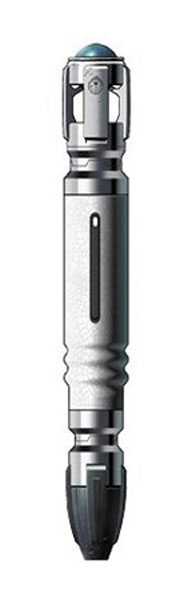
Doctor Who
Possible problems:
Motherboard. The motherboard is the most likely culprit since (a) I can’t see the BIOS (Built In Operating System) boot screen when I power on the computer (b) the hard drive stops spinning afer 1 second and (c) motherboards going bad are not an uncommon problem.
Monitor. I can’t rule this out as the problem or as a secondary problem. A motherboard failure would explain the dark screen. A monitor failure would not explain why the hard drive isn’t spinning up or why the hard drive light shuts off after 1 second.
Learning that the hard drive is not the problem is a mixed blessing. While I’m glad that my hard drive and information is safe, it means there’s a much bigger problem. Hard drives are easy. Insert screwdriver, remove hard drive, replace, rock on.
MacGyver
If the problem is something other than the hard drive, you can’t fix it with a screwdriver.2 But, I figured I’d give it a shot anyhow. I’ve fixed laptop problems similar to this before – opening it up, finding a broken wire strip, fabricating a new part, and MacGyver-ing it back into the case. Its extremely difficult, precise, and time consuming work.
I removed the hard drive again, opened my laptop, pulled out the keyboard, removed the monitor, blew out dust and debris, and visually inspected the motherboard without finding any obvious defects. At this point, I need to turn it over to someone with the expertise and equipment to fix the problem. :(
Yes. I just happen to have extra laptop hard drives lying around. [↩]
As you may already know, the WCAB’s EAMS sub-webpage allows you to search for the new ADJ numbers or the official address for a claims administrator or representative.
Later this week I’ll post about “why” and “how” I’ve developed these two new “calculators.” For now, I’ll just talk about why you’re going to want to join this site (for free!) and bookmark the calculators page.
User Friendly. Search engines shouldn’t need pages of documentation. One search box is all you really need.
Easier. My search engines aren’t picky. Enter “OAK0123456, OAK 0123456, OAK123456, OAK 000123456” and you’ll get “ADJ522195, ADJ522195, ADJ522195, ADJ522195.” The EAMS page requires you enter the WCAB or ADJ number with no spaces and exactly 10 characters.
More powerful. Search the Claims Administrators’ Offices and Representatives’ Offices database or unlimited ADJ and WCAB numbers simultaneously.
Faster searches. You can search for 50 WCAB and ADJ numbers on my site in the time it takes you to search for one at the EAMS page.
Better results. Although I use the same information as the WCAB search engines, I’ve designed my calculators to apply your search query to more of the information. The result is better search hits.
One page to rule them all. Both new search engines are built into the same page as the rest of my calculators. No need to poke around the WCAB-EAMS website. Bookmark one page and have all of the latest EAMS information right at your fingertips.