Changing themes for a WordPress website is incredibly easy.  However, sometimes there can be slight problems in the transition.  I had heavily edited and customized the prior theme’s code so that it would be better suited to this website.1
Fixing things
Fixing things

Changing the website’s theme has involved a few small tweaks2 :

  • For about four days the Articles section was merged with the Blog section.  This has been fixed.
  • I’ve found a really great plugin that allows me to insert footnotes into blog posts.3  My previous attempts at inserting footnotes manually were either time consuming or incredibly clumsy. 4
  • I’ve made minor alterations to the current theme – background colors, menu ordering, etc.
  • Some people were separating their WCAB “legacy” number to ADJ number searches by semi-colons, rather than commas.  I believe there’s really no sense in fighting users. 5  If a slightly different method makes sense to users, go with it.  I’ve adjusted the WCAB “legacy” number to ADJ number search function so that you can separate by semi-colons or commas.6
  • In printing out some Average Weekly Wage calculations, I discovered to my dismay that this website looked terrible when you tried to print it out.  Worse yet, the website header, sidebar, and other navigation information took up nearly a page.  This meant that a printout of a calculation might span two or more pages.  I’ve since fixed this using some particularly cool CSS.7
  1. Click this link see what the prior theme looked like. [↩]
  2. Photo courtesy of CharlesThompson [↩]
  3. Cool, no? [↩]
  4. A special thanks to Mr. Simon Elvery for writing this great footnote plugin. [↩]
  5. Unlike a certain “web-based” electronic adjudication management system… [↩]
  6. Or both! [↩]
  7. Well, my definition of cool, anyhow. [↩]

New v5.0
New v5.0

First off, don’t be afraid, this is the same website you’ve come to know and love.  Change can be good!  Besides, this latest change is almost 100% cosmetic.

I have been meaning to change the entire look of PDRater.com for a while now.  Thus far I’ve been focusing on improving the workers’ compensation calculators and the website content.

Previously I showed the evolution of PDRater.com from a ridiculously ugly but useful website into a less ugly and more useful website.  Since these latest changes have been mostly cosmetic rather than functional, this should really be something like Version 4.647.  I figure with adding six new calculators in September and updating the look, I’ve earned the right to call this Version 5.0.

Besides, its my blog, right?

The last theme I used was based upon the fantastic WordPress Themer Kit, which is an incredible tool for people who either have little graphic design skill or who don’t want to build a new theme from scratch.  Ultimately, I just don’t have the skill, time, or inclination to build an aesthetically pleasing theme.  (But, let’s be real, its mostly the lack of skill thing).

That said, I am good at adjusting and incorporating.  The original Aeros theme looked significantly different than the one you see.  I’ve changed the background color, removed the slight transparency, highlighted the different sidebar sections, and moved the top menu to the left side.  Since the theme was open source, this mostly involved tinkering with the CSS and underlying PHP.

How do you like this new theme?  Shoot me an e-mail or leave me a comment.

Obama and McCain on heathcare

I subscribe to ConsumerReports magazine for a variety of reasons.  I believe they are fair and balanced and that, having relied on their recommendations, it has also saved me a lot of time and money.  The November 2008 issue takes a close look at the details behind the Obama health plan for America and the McCain health plan for America.1

In order to view the full five pages of in depth analysis and review, you have to be a subscriber.  However,

A surprising amount of their analysis on these two plans is available for free on their site.

I learned some interesting things about Obama’s and McCain’s respective health plans from reviewing their websites.  Here are some of the things I’ve learned about thier plans:

  • McCain offers $2,500.00 tax credits per individual or $5,000.00 per family.  These tax credits go directly to the insurance company of your choice.  McCain’s plan would tax employee health benefits as income.  Under ConsumerReports’ analysis, the taxes and tax credit may be a wash in most circumstances.
  • Obama’s plan prevents insurers from rejecting anyone with a pre-existing condition, from raising prices for the sick, and from canceling policies as long as you’ve paid up your premiums.
  1. Original photos courtesy of richardmasoner, C_Dave, and mikewade.  Photo editing: me. [↩]

I’ve already talked about how much I love using WordPress. Its easy to add new abilities to the program by uploading “plugins” into the program. Its also extremely easy to change the entire look of the website by uploading a new “theme.” Its basically as easy as swapping out a new faceplate for your phone.

I’ve already disclosed what a terrible designer I am. Its for this reason I’m looking for a new theme for this website. You know, something that isn’t a step-cousin to ugly. Take a look at the ones I’ve found.

Top Three Contenders

Since you’re here anyhow, you might want to look at the WordPress Themes page. Hundreds of free themes for every occassion. Just in case you’re a glutton for punishment, here’s a few more potential looks for this site.

Top Three Runners-Up

Let me know what you like and don’t like about them. While I’m no designer, I’m at least capable of chaning parts, combining parts, and putting in new graphics.

“Bonus” Material

These are some of the other themes I briefly considered. Some are just amusing.

  1. ParterProgram – Almost as good as Business-Style
  2. Nostalgia – GREAT menu system (which I may still use) but too monochrome
  3. Extend – A little too flashy for this site
  4. 8some – I’m just not a fan of left side menus or the layout
  5. Aspire – Good idea if this were a website in the Victorian era or it ran on steam-power
  6. Kitten – Everyone loves kittens!
  7. YAST – The theme is actually broken to begin with. Not a good sign.
  8. Company Website 001 – Another theme that just looks broken

Most people don’t even realize that they’re trend setters.  With the increase in online or website based programs, more and more people are turning to “cloud computing.”  This term refers to a process where all the computational heavy lifting is not performed on a user’s computer but rather an external computer.

Clouds, Computing?
Clouds, Computing?

The most common example of cloud computing is probably “Google Docs,” which is Google’s online suite of office productivity software.  It includes programs for spreadsheets, presentations, and of course document editing.  It can open and save in its own format, OpenOffice format, and Microsoft Office formats.  Even Adobe released a free online version of Photoshop.

Cloud computing is basically the process of outsourcing your math.  There are a lot of situations where this makes a lot of sense:

  • Money. Lower computing requirements mean you don’t need as powerful a computer, saving you money.
  • Money. Lower computing requirements also mean you won’t need to purchase an upgrade or new computer as often, saving you money.
  • Time. Nothing to install, upgrade, or troubleshoot.
  • Money. Web server updates mean you don’t have to purchase software upgrades, saving you money.
  • Scaling. Need another copy of a program?  Just fire up a new computer and launch a new web browser.
  • Fewer Resources. When the program never actually runs on your computer, it uses no memory.  When your computer isn’t working hard running a program, it uses less power.
  • More Resources. When the program is never installed on your computer, it uses no hard drive space.  On the flip side, many cloud computing programs allow you to save your work or files online – giving you more hard drive space than what’s on your computer.

So, how does all this technobabble about cloud computing apply to you?  Well, every time you use this website’s online web-based permanent disability calculators and EAMS search functions you’re letting my web server do the number crunching for you.

You’re, quite literally, letting me help you save resources, time, and money.

McCain & Palin
McCain & Palin
Obama & Biden
Obama & Biden

I love watching political debates with a DVR.  There’s nothing like being able to pause the debate so the candidates can benefit from my sage advice or criticism developed over my many years of political, economic, and foreign policy experience.

That said, I have the following debate advice for the candidates:

  • Barak Obama
    • Stay focused and be concise.
  • John McCain
    • Keep your arguments and comments accurate.
  • Joe Biden
    • Eye contact with the camera.
  • Sarah Palin
    • Never, EVER wink at the camera again if you want to be taken seriously.
    • Not answering the question doesn’t make you a maverick, it makes you look uninformed.

Overall, the presidential debate of 9/26 was a dead heat.  I don’t think either side won ground that day.  It was one of the best presidential debates I have ever seen.  Frankly, both McCain and Obama did a great job.  The last time I enjoyed a debate as much was Clinton v G.H. Bush.

Historically, the vice presidential debate is hardly ever a deal maker or breaker – and its just as well for both parties.  When speaking in interviews off the cuff, Biden can make ridiculous and wildly historically inaccurate claims.  On the other hand, the Palin – Couric interviews made it clear that Palin can’t speak off script.

I can’t wait for the next debate tomorrow night!

Quick, how are rum distillers, stockcar race track owners, wool researchers, TV and movie producers, and wooden arrows different from middle class home owners?1

Why's the rum gone?
Why's the rum gone?

Give up?  The home owners aren’t benefiting one dime from the bailout legislation!

Obviously, (almost) no one has the time to read 451 pages of this proposal – and that’s what some people are counting on.  Thankfully, someone read it and found some startling things.

I’ve taken the liberty of putting together a list of the citations to my favorites:

  • Rum distillers (p279:11-19)
  • Stock car race track owners (p290:1-9)
  • Wool research (p295:7-296:13)
  • TV and movie producers (p298:6-300:19)
  • Wooden arrows (p300:20-301:18)

Wool research???  Its warm and itchy.  What’s to research???

  1. Photo courtesy of ryaninc.  I just can’t pass up an opporutnity to quote The Pirates of the Carribean… [↩]

Nerds
From Uncool Nerds...

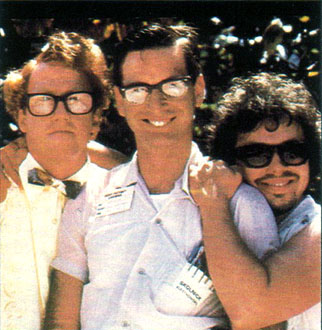
Yeah, I said it. And, I don’t care that it sounds ridiculously self-serving. Frankly, I think iTunes, MySpace, and instant messaging are to blame. These three things, more than anything else, made computers cool.

You think mechanics and handymen were always considered cool manly-men?  No way.  First cars and home improvement had to be cool. THEN the guys who fix/maintain those things became cool.

There was a day when computers and the internet were only good for word processing and searching libraries.  When these things were not indispensable, there were no real uses for nerds.  You know, besides copying their homework.

I think the first time anyone ever thought I was cool for being a nerd was when I was in law school.  A fellow law student had a floppy disk (yeah, it was that long ago…) that stopped working.  The campus tech guys were unable to do anything about it.  I asked if I could take a look – and was able to recover the data.

To Cool Nerds
...To Cool Nerds

These days a nerd can save your iPod, iPhone, laptop, recover your lost passwords, convert your files, and set up your wireless network.  They keep your computers virus free, network humming along, and your e-mails arriving right on time.

Heck, sometimes they even build online web-based workers’ compensation calculators which crank out permanent disability ratings and let everyone use them for free.

So, why not hug a nerd today?

This Public Service Announcement has been brought to you by Huey Lewis and the News, because it really is “Hip To Be Square.”

My laptop is back, up and running!  I truly cannot explain just how happy I am that I have it back.

Scotty
Scotty

As I mentioned earlier, my laptop stopped working on the Sunday night before last.  The next day I stopped by a local Fry’s Electronics and picked up a hard drive enclosure for my laptop’s hard drive.  This solved my initial problem, being cut off from my data, by allowing me to schlep my laptop’s hard drive with me.  Even though I had my data with me, I didn’t have my laptop with me.  I constantly felt as if I had lost my wallet or cell phone.  A disconcerting feeling, to say the least.

On Friday afternoon I took my laptop to a local repair shop, Paramount Technology, and, after talking with the proprietor for a few minutes, left my laptop with them at about 12:30pm.  He estimated they might have it ready on Tuesday; Monday at the earliest.

They called my cell less than three hours later to tell me my laptop was fixed.

Everyone knows how Captain Kirk would ask the impossible of Scotty.  Like clockwork, Scotty would bitch and moan about how he could not perform the impossible.  And, yet, when crunch time came, the polarity was reversed, dilithium crystals realigned, and they had warp engines back on line.

They did a great job, warranting their work for 90 days, had my laptop repaired in record time, and didn’t scratch my baby.  (FYI, Dell offers a whopping 30 day warranty on their work.  In the words of Govenor Palin, “Thanks, but no thanks.”)

I don’t care if they were practicing “under promise and over deliver.”  Paramount Technology has earned my business and my recommendation.

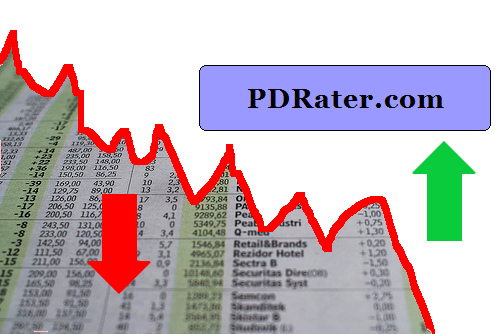
*PDRater up, the Dow down
PDRater up, the Dow down

September 2008 was a pretty good month for PDRater.com.  Yay! ((Original photo courtesy of Daniel Martini.  Mad photoshop skillz, all mine!))

Not so good for the economy. Boo! Perhaps this website needs a new, darker, tagline?  How about: “When you’ve lost everything else, you’ve still got PDRater.com”

Here’s my favorite posts from this past month.

I had the most fun with the “End of the World” posts from mid-September.  If you read nothing else, check out the one labeled, “The End of the World: A To Do List“.  That one is worth a look for my mad photoshop skillz alone.

For the more practical minded, the Road Warrior Checklists might be helpful.  I think I’ve got at least one more “Road Warrior Checklist” in me.  Also, I’ve provided some advice on what to do when your laptop stops working.

Six new calculators this month!

  1. Retroactive Benefits Calculator
  2. Convert WCAB and DWC “legacy” numbers into the new EAMS ADJ numbers
  3. Search with all EAMS registered Offices
  4. EAMS Body Part Codes search engine
  5. EAMS Document Type and Title search engine
  6. EAMS and DWC forms search engine

The World Ended on 9/10/2008

Laptop Repair Saga

Road Warrior Checklists

Virtual Real Estate (since the non-virtual kind is dead)