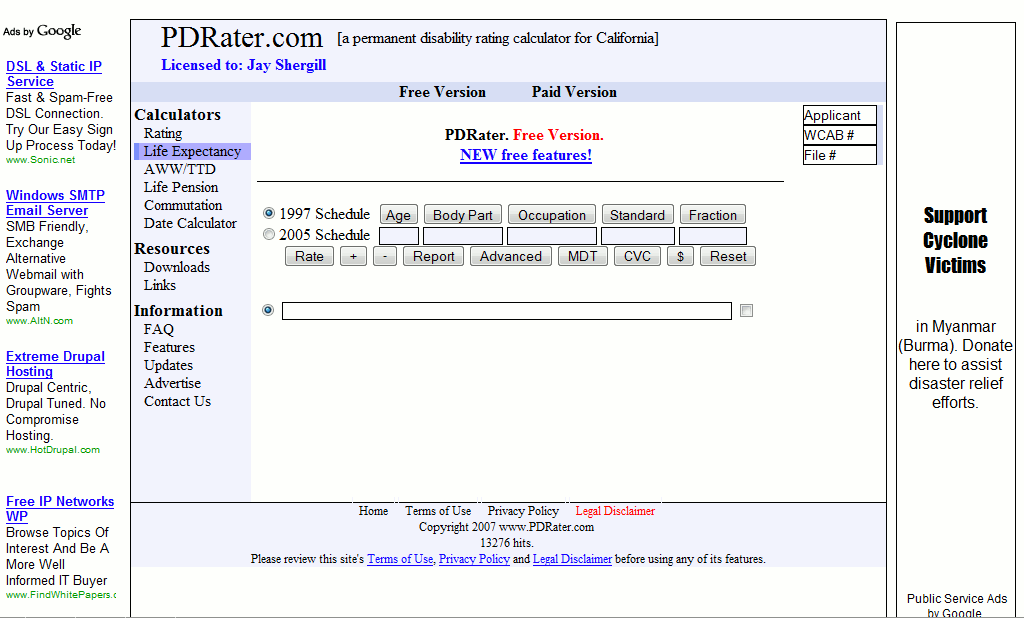
Permanent disability calculators that will fit in any pocket!
I was at the San Jose WCAB on Friday. Since recently discovering that I could run this website’s permanent disability rating calculators from my phone’s web browser, this was the first time I left my rating manual, money chart, and date wheel in the car.1
It was great. That morning I used my phone to:
Find the ADJ number associated with the legacy SJO number on my file
The benefit for me is not so much that I don’t have to carry the rating manuals, dollar value charts, and date wheels. Unlike these tools, my phone is not something I’m going to misplace or loan and never see again.
The best part is that if I want to refer back to the calculation I just performed, I can just e-mail it to myself!
Since launching this website I’ve given a lot of thought to support for cell phones. There just are not many phones that can run these calculators.2 The glaring and notable exception is the iPhone.
Amusingly, one of this website’s users has asked for an “iPhone app” version of this site. Seriously, you’ve got one of the few phones that can use this site and that’s not good enough for you? (Thanks Chris!)
It would be more correct to say there are not many phones that support javascript and AJAX well enough to interact with this website in a meaningful fashion. [↩]
Probably a lot more interesting for me than it is for you… [↩]
Last week a website user notified me of a problem he was experiencing with this website’s rating calculators. He’s been a regular user for nearly a year now. When he tried to perform a calculation the calculators would just show waiting indicators without showing the answer. If he closed the browser window and reopened it, it would sometimes fix the problem. To complicate matters, his coworker was having a similar problem.
Worst of all, this problem had been plaguing them for two weeks. If you have a problem with this website, let me know as soon as possible so that I can track down the last change to the site to see if its causing a problem.
My troubleshooting went like this:
Get a detailed description of the symptoms.
Try to replicate the problem.
Reiterate the problem to make sure I’ve got it right.
While working to diagnose and fix the problem, offer a temporary fix (putting up a temporary site for their use).
Look into recent changes in the website (going back two weeks).
Since I couldn’t replicate the problem, ask additional questions.
Does the problem occur at a particular time of the day?1
If the problem disappears, its obviously in their computer or network. If the problem persists, it could still possibly be their network or the website.
These browser helper objects are notorious for interfering with normal browser operations. Worse, you can’t rule them out based upon when they were installed because they’re constantly downloading and installing updates to themselves. [↩]
Double clicks send two requests to the server – and might be confusing the browser. [↩]
Two computers on a single network could be a coincidence, a sign of a problem with the website, or a sign of a problem with the client’s network. [↩]
If not, its a problem with that computer. If so, could still be a problem with either the website or their computers/network. [↩]
Tell them how to tell if there’s an error and how to give you the error code information. [↩]
They may not care for the constant updates, but they will know you’re on the case. [↩]
Most people don’t even realize that they’re trend setters. With the increase in online or website based programs, more and more people are turning to “cloud computing.” This term refers to a process where all the computational heavy lifting is not performed on a user’s computer but rather an external computer.
Clouds, Computing?
The most common example of cloud computing is probably “Google Docs,” which is Google’s online suite of office productivity software. It includes programs for spreadsheets, presentations, and of course document editing. It can open and save in its own format, OpenOffice format, and Microsoft Office formats. Even Adobe released a free online version of Photoshop.
Cloud computing is basically the process of outsourcing your math. There are a lot of situations where this makes a lot of sense:
Money. Lower computing requirements mean you don’t need as powerful a computer, saving you money.
Money. Lower computing requirements also mean you won’t need to purchase an upgrade or new computer as often, saving you money.
Time. Nothing to install, upgrade, or troubleshoot.
Money. Web server updates mean you don’t have to purchase software upgrades, saving you money.
Scaling. Need another copy of a program? Just fire up a new computer and launch a new web browser.
Fewer Resources. When the program never actually runs on your computer, it uses no memory. When your computer isn’t working hard running a program, it uses less power.
More Resources. When the program is never installed on your computer, it uses no hard drive space. On the flip side, many cloud computing programs allow you to save your work or files online – giving you more hard drive space than what’s on your computer.
Google jumped head fist into the browser war last week.
The big players at the moment are Internet Explorer, Firefox/Mozilla, Opera, and Safari (Mac). From Google’s information about Chrome, it looks like it was designed based on Apple’s popular Webkit and Mozilla’s very popular Firefox. An added benefit is that this new browser is open source. Google’s online comic about Chrome and their new vision of how a web browser should look and behave is actually fairly interesting.
The other bit of good news is that I’ve downloaded and installed the beta version of Google’s Chrome in order to see whether it is compatible with this website and its web apps.
As the man said, “you can’t always get what you want.” Here’s what I need from a cell phone:
Multiple numbers per contact
Multiple alarms
Scheduling events
Text messaging
Ability to jot down notes
A battery with 4 hours of talk time and a few days of standby time
My current phone can do all that. The battery life is failing, reception is spotty, and its been dropped more times than I was as a baby. Here’s what I want out of a new phone:
Contacts and calendar that can synch with my laptop
Bluetooth support and file access (to transfer files wirelessly)
A web browser that works as well as IE7 or FF2 (Namely: proper HTML rendering, CSS rendering, cookies, and javascript support)
I know the LG Dare can handle #1 and #2, but I’m dubious about its support for #3.
I know the iPhone can handle #3 fairly well, but am dubious about its support for #1 and #2.
So, it looks like the only phone thus far that can use these calculators is… the iPhone. Don’t blame me – blame every other cell phone maker out there. I played with an LG Dare again a few days ago and was disappointed with its web browser this time.
I’m sure its a great phone. But, let’s be real, that’s not good enough any more.
Pros:
Touch screen
Virtual QWERTY keyboard
A screen that rotates when you tilt the camera
MP3 player
Digital camera, video camera
Removable memory chip
500 contact with up to 5 phone numbers each
A web browser that will support AJAX and XMLHttpRequest
Decent support of cascading stylesheets
Cons:
Imperfect support of javascript
No support of cookies/sessions
What does this mean for you? You can go to my site, but you can’t log in. If you can’t log in, you can’t use the calculators. :/
As a side note, just about every Verizon rep I’ve talked to pushes this phone’s 500 person contact list. My question, “How much memory does the phone have?” Their response: “It has 5 phone numbers per contact? Wow. That’s a lot. I didn’t know that.” Riiight – you didn’t know? Why have I heard that exact line from three separate reps? I don’t have 500 contacts. I don’t even know 500 people.
Verdict: It may be a good phone, but you won’t be able to use my calculators from it.
If your phone does not already work with PDRater.com, have you tried using a different web browser on your phone? Everyone knows Internet Explorer (sorry, no link :P ), most people know about FireFox (my own browser of choice), but there’s also Opera and OperaMini. OperaMini can be installed on some phones as an alternative to the factor web browser. From playing around with the OperaMini demo page, it looks like OperaMini will work with my calculators.
Almost completely off topic, have you seen the iPhone simulator? Sure, it doesn’t play music or make phone calls, but if you need a fix or want to test out some calculators (ahem), it’s a pretty cool website.1
Do people even use iPhones for telephone calls anymore? That’s sooo analog. . . . [↩]