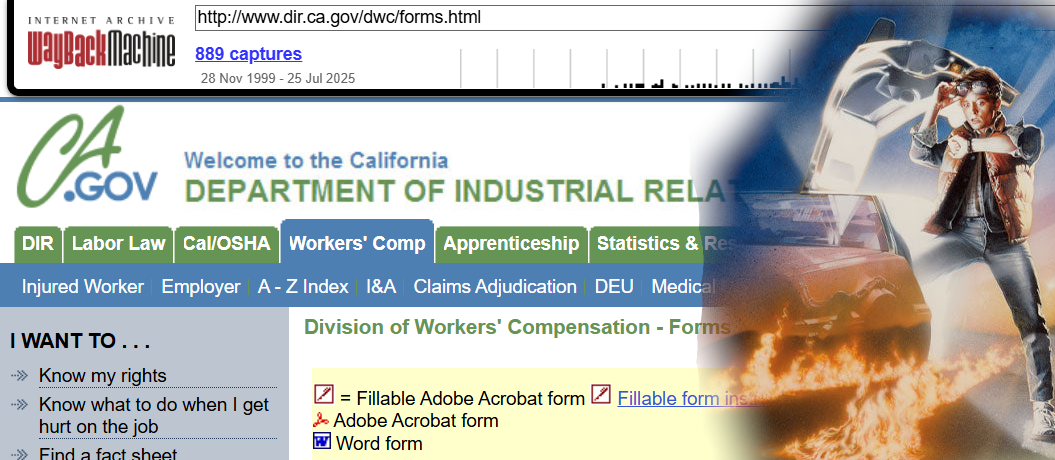
Back to the future of comp past

I just couldn’t find a clean unfilled copy of the official “STIPULATION and AWARD and/or ORDER” PDF form. Sometimes PDFs can be weird and it’s just best to find a new clean copy than fill out an old one. However, for a form that gets used all the time in hearing rooms throughout California, I couldn’t find it on the Board forms webpage!

You know how much of a hassle the WCIRB website is?  In order to figure out coverage dates for a given employer you either need to mail in a request and wait a few weeks, ask a judge to pull this information for you, or keep submitting dates and alternate names, submitting CAPTCHA’s to prove your humanity every 5 searches. 1

After a lot of searching, I found that the DWC forms web page must have been heavily updated just after 11/01/2008 because as of the next Archive.org page save, the “DWC WCAB form 5” form for the “STIPULATION and AWARD and/or ORDER” PDF was suddenly missing!  For those that were around at the time, this is back when the DWC website was2 transforming3 into the EAMS system.

Where in the world is the Stipulation and Order?

Anyhow, that’s the long way of saying I found the last version of the DWC WCAB form 5 Stipulation and Order PDF form for your benefit.  :)

  1. Seriously, under what possible circumstances is someone who proves they are human after five consecutive searches in danger of not only being replaced with a robot, but having that robot decide to keep performing searches related to what that human was doing?!? []
  2. slowly []
  3. disintegrating? []

Block Letters
Block Letters

According to a recent DIR news bulletin on November 17, 2008 the new WCAB Rules of Practice and Procedure were approved by the Office of Administrative Law and filed with the Secretary of the State and (apparently) made effective that same day.  If you haven’t already reviewed the new regulations, now’s a good time.  You can check them using the above links or download it here:

New WCAB Rules of Practice and Procedure (Effective 11-17-2008)

Since the new WCAB rules became effective, the new EAMS forms are now mandatory.  The exceptions named in the above bulletin are:

  • There will be a four-week “transition period” in effect through December 12, 2008 during which the “legacy”1 forms will still be accepted.
  • Forms requiring multiple signatures will be accepted in “legacy” form as long as the filer establishes that circulation began prior to November 17, 2008. 2
  • Unrepresented injured workers will be allowed until February 17, 2009 to use “legacy” forms.
  • Unrepresented injured workers who do not have access to a computer or typewriter will be allowed to fill in the new OCR forms by printing using block letters.34

Did you know there’s a handbook for the new Optical Character Recognition EAMS forms?  You can check it out here or download it here:

EAMS OCR Handbook (Rev. 11-24-2008)

  1. Read: non-EAMS []
  2. I suppose the easiest way to demonstrate this is to point out that at least one of the signatures was dated prior to 11/17/2008. []
  3. Though, I suppose printing clearly in all-capital letters migh work better… []
  4. Photo courtesy of Thomas Hawk. []

Running Puppy
This puppy has nothing to do with this post whatsoever.

Last Friday I announced some “website tweaks.”  Since then a paid subscriber1 reiterated a feature request.2 As a paid subscriber, he is able to calculate an unlimited number of ratings so that they all show up on a single page.  Basically, he wanted to be able to see the dollar value for a particular permanent partial disability percentage at the same time as a rating.

This isn’t the first time I’ve wrestled with the problems in creating such a feature.  There are several problems with incorporating this feature into the calculator’s page.

  1. The rating calculator and the dollar value of permanent disability calculators cannot be open at the same time.
  2. The rating calculator does not require the date of injury, just the age of the injured worker.  Without the date of injury, the website cannot properly display the dollar value of a permanent partial disability percentage.
  3. When a paid subscriber has performed more than one rating calculation on a page, the website cannot decide which rating string to convert into the equivalent number of dollars.

This exact feature had been suggested by other users in the past.3  My original thinking was that trying to accommodate this feature request would involve too many unknown variables.  After giving the matter some more thought, here’s what I’ve come up with:

  • Paid subscribers benefit from improved print formatting. Basically, I’ve created a special file that changes the way the calculator page looks when a paid subscriber is printing. 4  Paid subscribers benefit from having the calculator page streamlined specifically for printing.
  • Paid subscribers can have more than one calculator open at a time. This one feature probably addresses 90% of this user’s concerns.  If you’re able to keep both calculators open at the same time, it should be easy to perform a rating and then turn the percentage into a dollar value.
  • Paid subscribers receive automatic calculations of dollar value of ratings. When a paid subscriber performs a rating calculation, the “Dollar Value of Permanent Disability” calculator automatically opens and the dollar value of the rating is automatically calculated.  The user will still have to adjust calculation to account for the year of the injury.  However, this is probably the most elegant solution to this issue.
  1. As opposed to a free subscriber []
  2. Thanks Marc! []
  3. And even some competitors!!! []
  4. The special file is actually just some CSS to optimize page for printing. []

I am constantly trying to think of ways in which to improve this website and to make it a better resource for California Workers’ Compensation professionals.  If you’ve got an idea as to how I can improve this site, drop me a line and let me know.

  1. Links to online Medical Provider Network lists of physicians for a lot of different carriers
    • Click on “Medical Provider Network Links”
  2. The ability to search for occupational codes by the occupational title or to search for an occupational title by occupational code
    • Click on “Rating Calculator” and then “Occupation”
  3. Links to free searchable versions of the California Labor Code and California Code of Regulations
    • Click on “Workers’ Compensation Resource Links”
  4. Links to the State of California search pages for medical doctors, chiropractors, osteopaths, podiatrists, accupuncturists, optomotrists, psychologists, and dentists
    • Click on “Physician Search Links”
  5. Downloads for numerous Permanent Disability Rating Schedules1988, 1997, 2005, and the draft for 2009
  6. Combined Values Chart / Multiple Disabilities Table calculators
    • Click on “Rating Calculator” and then “CVC” or “MDT”
  7. A list of Commonly Used Terms in California Workers’ Compensation law

What’s that?  I only promised the top five PDRater.com features?  Don’t tell me you haven’t heard of the first rule of business:  Under promise and over deliver.

Happy Friday!