If you can use duct tape, you can perform an Ogilvie DFEC analysis in 5 minutes

An Ogilvie / DFEC analysis isn’t really difficult, especially when this website has a free Ogilvie / DFEC calculator.1 The problem comes when you have to prove all the math behind those calculations.  This involves “showing your work.”

The best way to “show your work” is to take the reader through each step of the Ogilvie analysis.  I’ve prepared a sample report (generated using a new service on this website) which provides a clear and easy to understand format for “showing your work.”

The steps are basically this:

  • Step 0:  2005 PDRS rating string
  • Step 1: Post-Injury Earnings of Applicant
  • Step 2: Post-Injury Earnings of Similarly Situated Employees
  • Step 3: Calculate Proportional Earnings Loss
  • Step 4: Calculate Individualized Rating to Loss Ratio
  • Step 5: Compare Individualized Rating to Loss Ratio to range of ratios for the FEC ranks

For those interested, here’s a more detailed explanation of each step in an Ogilvie / DFEC analysis.

When each step of the Ogilvie / DFEC analysis is stated clearly, the reader can see every assumption, step, and perform their own calculations to verify your conclusions.  As long as the parties agree on the numbers used in an Ogilvie / DFEC calculation, they should always arrive at the same result.

Setting forth every single step of your Ogilvie / DFEC analysis lets you to spend less time arguing about the impact of Ogilvie and more time trying to get the case settled.

  1. Photo courtesy of indigotimbre []

Building the case for a DFEC rebuttal
Q: How do you build the case for a DFEC rebuttal? A: One step at a time.

There’s a lot of conflicting information about what Judge’s are requiring to making a finding of a DFEC rebuttal under Ogilvie v. City and County of S.F.1  The Board in Ogilvie II is explicit that all you need is post-injury earnings information for the injured worker and similarly situated employees and “simple mathematical calculations with that wage data” using a “non-complex formula.”2

Unfortunately, calling a process “simple” and “non-complex” doesn’t necessarily make it so.  Apparently some Judges are requiring some additional showing beyond wage data and “simple calculations.”

What are Judges in your area requiring?

  • Just wage data and calculations?3
  • Vocational testimony/evidence regarding earnings?
  • Proof of attempts to seek employment/motivation?
  • Something else?

Share your insight with an e-mail or comment.

  1. Photo courtesy of eliaspunch []
  2. Ogilvie II, p1-2. []
  3. Perhaps just a print-out from PDRater?  ;) []

Back to the drawing board

DOWNLOAD THE MATHEMATICAL PROOF AS A PDF!

A little while ago William S. Morris, an Applicant’s attorney, told me that the Ogilvie adjustment calculation could be further simplified. 1 He suggested the following2 :

  1. Earnings Loss34
    1. L = (PIESSE – PIEA) / PIESSE
  2. Individualized Proportional Earnings Loss
    1. = (WPI / L) / 100
  3. DFEC Adjustment Factor
    1. = ([1.81/a] * .1) + 1
    2. = ( (1.81 * .1)/a) + 1
    3. = (.181/a) + 1
    4. = 1 + (.181/a)
  4. Ogilvie DFEC Adjusted Rating
    1. = WPI * DFEC Adjustment Factor
    2. = WPI * (1 + (.181/a) )
    3. = WPI * (1 + (.181 / Individualized Proportional Earnings Loss) )
    4. = WPI * (1 + (.181 / ( (WPI / L) / 100) ) )
    5. = WPI * (1 + (18.1 / ( (WPI / L)  ) )
    6. = WPI * (1 + (18.1 * (L/WPI) ) )
    7. = WPI + (18.1 * L)
  5. Conclusion
    1. If the injured workers’ individualized proportional earnings loss is outside all of the FEC ranks, you may calculate the Ogilvie adjustment by adding (18.1*Earnings Loss) to the WPI.

The only flaw with the proofs offered by William and myself is that they are too exact.  The WCAB in Ogilvie never sets forth the exact process for performing the Ogilvie adjustment calculation – so the only official method involves rounding to different significant figures at different places.  Thus, a calculation performed in strict accordance with the WCAB in Ogilvie and through one of these mathematical proofs would differ very slightly.

What do you think? Leave a comment or drop me a line.

  1. Photo courtesy of Dahveed76 []
  2. I’m paraphrasing here []
  3. PIESSE = Post Injury Earnings of Similarly Situated Employees []
  4. PIEA = Post Injury Earnings of Applicant []

Hey everyone!  More workers compensation calculators!
Hey everyone! More workers' compensation calculators!

I’m working on several more workers compensation calculators.  I’m really excited about one of them in particular. 1

I’ve been working to develop calculators and search engines that are easier to use, easier to understand, and make them available to everyone for less than my competitors.  One benefit to doing it all myself is that I can innovate faster than anyone else.  For instance, my wildly popular Ogilvie calculator was available to beta testers just days after the Ogilvie case came out.

But, this new calculator is something entirely new.  Tantalized?  Titilated?  Tremulous?

Stay tuned!

  1. Photo courtesy of Wal mink []

lincolnblues
Even this guy can do the Ogilvie adjustment calculation in his head

If you’re using my Ogilvie calculator for situations involving a 100% earnings loss, you’re working too hard1

If you have 100% earnings loss and WPI less than 45, the Ogilvie adjustment formula will always result in WPI + 18.

Not to worry.  I can make Ogilvie even easier:

  1. [Download not found].
  2. [Download not found]!

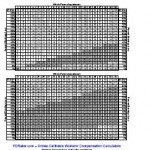
The Ogilvie mathematical proof has been available for several weeks for peer review.  I’ve only received positive feedback.2  The above Ogilvie Adjustment Chart has been testing by myself and other workers’ compensation attorneys, but like everything else on this site is provided subject to all legal disclaimers.

Here’s a peek at what they look like:

Ogilvie Mathematical Proof

Ogilvie Adjustment Chart
  1. Photo courtesy of lincolnblues []
  2. An anonymous source from the DWC actually called it “cool”! []

Ogilvie for Dummies
Ogilvie for Dummies

UPDATE: DOWNLOAD THE MATHEMATICAL PROOF AS A PDF!

Get ready to stop paying people to do Ogilvie calculations, recycle your Gearheart/Gerlach handouts, and delete your Frost Excel spreadsheet.1  We’re about to go all “Beautiful Mind.”

Yesterday while at the Oakland WCAB an Applicant’s attorney mentioned he noticed an interesting trend in the Ogilvie formula. 23 He said that whenever he does an Ogilvie calculation for someone with a 100% earnings loss and a modest WPI, the WPI is always increased by 18. 4

I ran a number of test calculations on this theory and it appeared to be right.  My calculations show that up to a WPI of 44 the increase appears to always be 18.1, but the last “0.1” always gets rounded down.  However, appearing to be right just isn’t good enough for me.  And, because I am just truly that nerd, here’s the fully mathematical proof:

Let’s break down the calculations at the heart of Ogilvie:

  1. Earnings Loss56
    1. = (PIESSE – PIEA) / PIESSE
    2. = ($1.00 – $0.00) / $1.00
    3. = $1.00 / $1.00
    4. = 1
    5. = 100%
  2. Individualized Proportional Earnings Loss
    1. = (WPI / Earnings Loss) / 100
    2. = (WPI / 100% )/100
    3. = (WPI / 1) / 100
    4. = WPI / 100
    5. Thus, for any WPI less than 45 and a total loss of earnings, the Individualized Earnings Loss will always be less than 0.450 in Table A.
  3. DFEC Adjustment Factor
    1. = ([1.81/a] * .1) + 1
    2. = ( (1.81 * .1)/a) + 1
    3. = (.181/a) + 1
    4. = 1 + (.181/a)
  4. Ogilvie DFEC Adjusted Rating
    1. = WPI * DFEC Adjustment Factor
    2. = WPI * (1 + (.181/a) )
    3. = WPI * (1 + (.181 / Individualized Proportional Earnings Loss) )
    4. = WPI * (1 + (.181 / (WPI / 100) ) )
    5. = WPI * (1 + (.181 * 100 / WPI ) )
    6. = WPI * (1 + (18.1/ WPI ) )
    7. = WPI * ( (WPI/WPI) + (18.1/ WPI ) )
    8. = WPI * (WPI + 18.1/ WPI )
    9. = WPI * (WPI + 18.1/ WPI )
    10. = WPI + 18.1
  5. Conclusion
    1. If you have an Applicant with a 100% post injury earnings loss and a WPI of 44 or less, you should rebut the FEC and arrive at an adjusted WPI that is equal to the original WPI plus 18.1.

Therefore, I propose a new Ogilvie formula that will be easy for anyone to remember:

  • Step 1: If the injured worker has a 100% earnings loss and a WPI of 44 or less, add 18.1 to the WPI and round down.
  • Step 2: If the injured worker has less than 100% earnings loss or a WPI of 45 or higher, go to Step 3.
  • Step 3: For heaven’s sake, just make your life easier and use the calculators here at PDRater.com.

What do you think?  Leave a comment or drop me a line.

  1. Sorry Jeff, Mark, Mark, and Ray! []
  2. Thank you “S”!  Unfortunately, he did not want to be named. []
  3. Man, I *wish* I could take credit for this observation. []
  4. Not multiplied by 18, but an addition of 18. []
  5. PIESSE = Post Injury Earnings of Similarly Situated Employees []
  6. PIEA = Post Injury Earnings of Applicant []

PDRater workers compensation calculators - so easy a cat can use them!
PDRater workers' compensation calculators - so easy your cat can use them!

What’s that?  You haven’t memorized ALL of the FEC ranks to go with each of the 2005 Permanent Disability Rating Schedule body parts? 1

Why didn’t you say so?   (Actually, someone did ask for an easy way to look up the FEC ranks back on April 1).

I’ve been working on an easy way to allow a user to look up and quickly insert the FEC rank for the affected body part.  I finally got around to building it a few days ago and launched it this morning.  Please give it a shot and let me know what you think.

Here’s all you need to do to perform your very own Ogilvie calculation:

  1. Go to the permanent disability calculator page. (If you haven’t already signed up for free, this is a good time.)
  2. Click “Ogilvie” Diminished Future Earning Capacity Calculator
  3. Type in the FEC rank OR click “FEC Rank (1-8)” and click on the injured body part.  It will look up the FEC rank and insert it for you.
  4. Type in the “Whole Person Impairment”
  5. Type in the “Post Injury Earnings of Applicant”
  6. Type in the “Post Injury Earnings of Similarly Situated Employees” OR click the link to obtain some information from the EDD Labor Market Information Division (LMID) and US Department of Labor, Bureau of Labor Statistics (BLS).

If you can think of a way for me to make this calculator even easier, please let me know2

  1. You’ve only had four years, right? []
  2. Photo courtesy of Vicki’s Pics []

Riddle me this!
Riddle me this!

Yesterday afternoon in Fresno I showed another attorney how I could perform an Ogilvie calculation on my cell phone using the best workers’ compensation calculator website in the world.

  • He looked at me and asked me, “How much does this cost?”
  • I answered, “They’re free.”
  • He asked me, “Well, why the heck am I paying for _______?”1

I don’t know.2

  1. Oh, YOU know who he was talking about… []
  2. Photo courtesy of Santheo []