Now, when a paid subscriber calculates the CVC or MDT of multiple ratings, the calculated combined rating is fed to the dollar value of permanent disability calculator and the dollar value calculated.
This puppy has nothing to do with this post whatsoever.
Last Friday I announced some “website tweaks.” Since then a paid subscriber1 reiterated a feature request.2 As a paid subscriber, he is able to calculate an unlimited number of ratings so that they all show up on a single page. Basically, he wanted to be able to see the dollar value for a particular permanent partial disability percentage at the same time as a rating.
This isn’t the first time I’ve wrestled with the problems in creating such a feature. There are several problems with incorporating this feature into the calculator’s page.
The rating calculator does not require the date of injury, just the age of the injured worker. Without the date of injury, the website cannot properly display the dollar value of a permanent partial disability percentage.
When a paid subscriber has performed more than one rating calculation on a page, the website cannot decide which rating string to convert into the equivalent number of dollars.
This exact feature had been suggested by other users in the past.3 My original thinking was that trying to accommodate this feature request would involve too many unknown variables. After giving the matter some more thought, here’s what I’ve come up with:
Paid subscribers benefit from improved print formatting. Basically, I’ve created a special file that changes the way the calculator page looks when a paid subscriber is printing. 4 Paid subscribers benefit from having the calculator page streamlined specifically for printing.
Paid subscribers can have more than one calculator open at a time. This one feature probably addresses 90% of this user’s concerns. If you’re able to keep both calculators open at the same time, it should be easy to perform a rating and then turn the percentage into a dollar value.
Paid subscribers receive automatic calculations of dollar value of ratings. When a paid subscriber performs a rating calculation, the “Dollar Value of Permanent Disability” calculator automatically opens and the dollar value of the rating is automatically calculated. The user will still have to adjust calculation to account for the year of the injury. However, this is probably the most elegant solution to this issue.
Most people don’t even realize that they’re trend setters. With the increase in online or website based programs, more and more people are turning to “cloud computing.” This term refers to a process where all the computational heavy lifting is not performed on a user’s computer but rather an external computer.
Clouds, Computing?
The most common example of cloud computing is probably “Google Docs,” which is Google’s online suite of office productivity software. It includes programs for spreadsheets, presentations, and of course document editing. It can open and save in its own format, OpenOffice format, and Microsoft Office formats. Even Adobe released a free online version of Photoshop.
Cloud computing is basically the process of outsourcing your math. There are a lot of situations where this makes a lot of sense:
Money. Lower computing requirements mean you don’t need as powerful a computer, saving you money.
Money. Lower computing requirements also mean you won’t need to purchase an upgrade or new computer as often, saving you money.
Time. Nothing to install, upgrade, or troubleshoot.
Money. Web server updates mean you don’t have to purchase software upgrades, saving you money.
Scaling. Need another copy of a program? Just fire up a new computer and launch a new web browser.
Fewer Resources. When the program never actually runs on your computer, it uses no memory. When your computer isn’t working hard running a program, it uses less power.
More Resources. When the program is never installed on your computer, it uses no hard drive space. On the flip side, many cloud computing programs allow you to save your work or files online – giving you more hard drive space than what’s on your computer.
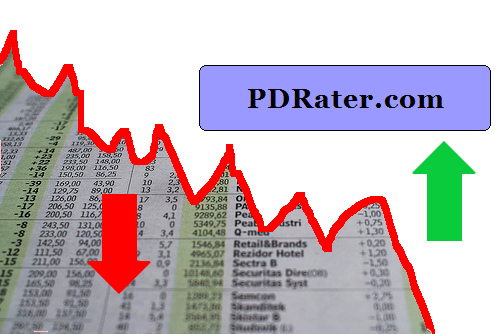
September 2008 was a pretty good month for PDRater.com. Yay! ((Original photo courtesy of Daniel Martini. Mad photoshop skillz, all mine!))
Not so good for the economy. Boo! Perhaps this website needs a new, darker, tagline? How about: “When you’ve lost everything else, you’ve still got PDRater.com”
Here’s my favorite posts from this past month.
I had the most fun with the “End of the World” posts from mid-September. If you read nothing else, check out the one labeled, “The End of the World: A To Do List“. That one is worth a look for my mad photoshop skillz alone.
For the more practical minded, the Road Warrior Checklists might be helpful. I think I’ve got at least one more “Road Warrior Checklist” in me. Also, I’ve provided some advice on what to do when your laptop stops working.
With the EAMS Body Part Codes search engine, you can search for the EAMS code associated with a body part of your choice. And, just in case you receive an Application for Adjudication of Claim or some document referencing the EAMS Body Part Code, you can even do a reverse lookup – searching by the EAMS Body Part Code!
Calculator
I was so happy to get my laptop back I built a whole new EAMS search engine and a better way to access forms. After having a hell of a time trying to locate the proper document type and document title on Friday I decided to make this my next project.
With the new EAMS forms on the DWC forms page, you now have a bewilderingly large number of forms to search through in order to find the one you need. Not only do you have to look through the 136 different forms offered by the page, but the EAMS forms are not easily distinguishable from the non-EAMS forms.
What I’ve done is create an EAMS and DWC forms search engine which scans through the DWC’s lists of forms by the form type, form name, and form number, and generates a list of just the forms which fit your search. On my forms search engine, the EAMS forms will be highlighted so you know its an EAMS form at a glance.
As you may already know, the WCAB’s EAMS sub-webpage allows you to search for the new ADJ numbers or the official address for a claims administrator or representative.
Later this week I’ll post about “why” and “how” I’ve developed these two new “calculators.” For now, I’ll just talk about why you’re going to want to join this site (for free!) and bookmark the calculators page.
User Friendly. Search engines shouldn’t need pages of documentation. One search box is all you really need.
Easier. My search engines aren’t picky. Enter “OAK0123456, OAK 0123456, OAK123456, OAK 000123456” and you’ll get “ADJ522195, ADJ522195, ADJ522195, ADJ522195.” The EAMS page requires you enter the WCAB or ADJ number with no spaces and exactly 10 characters.
More powerful. Search the Claims Administrators’ Offices and Representatives’ Offices database or unlimited ADJ and WCAB numbers simultaneously.
Faster searches. You can search for 50 WCAB and ADJ numbers on my site in the time it takes you to search for one at the EAMS page.
Better results. Although I use the same information as the WCAB search engines, I’ve designed my calculators to apply your search query to more of the information. The result is better search hits.
One page to rule them all. Both new search engines are built into the same page as the rest of my calculators. No need to poke around the WCAB-EAMS website. Bookmark one page and have all of the latest EAMS information right at your fingertips.
Google jumped head fist into the browser war last week.
The big players at the moment are Internet Explorer, Firefox/Mozilla, Opera, and Safari (Mac). From Google’s information about Chrome, it looks like it was designed based on Apple’s popular Webkit and Mozilla’s very popular Firefox. An added benefit is that this new browser is open source. Google’s online comic about Chrome and their new vision of how a web browser should look and behave is actually fairly interesting.
The other bit of good news is that I’ve downloaded and installed the beta version of Google’s Chrome in order to see whether it is compatible with this website and its web apps.
I am constantly trying to think of ways in which to improve this website and to make it a better resource for California Workers’ Compensation professionals. If you’ve got an idea as to how I can improve this site, drop me a line and let me know.
What’s that? I only promised the top five PDRater.com features? Don’t tell me you haven’t heard of the first rule of business: Under promise and over deliver.
Google has a saying, “launch early and iterate.” Launch your idea, get feedback, make it better, keep doing it! As a friend of mine has delicately suggested, I’m no Google. This doesn’t mean I can’t learn from Google, right?
Two of the calculators I’ve been developing are a commutation calculator (for pre-1/1/2003 injuries) and a retroactive benefits calculator. I’ll discuss the commutation calculators more closer to their launch.
However, today is the day I’m publicly launching my Retroactive Benefits calculator! Its fairly straight-forward. You tell it the weekly rate, start date, end date, payment date, and an interest rate. It tells you how many days, how much is due, how many days the benefit was delayed, and how much is due with interest.
Take a look, play around with it, let me know what you think. Drop me a line or post a comment.