Changing the website’s theme has involved a few small tweaks2 :
For about four days the Articles section was merged with the Blog section. This has been fixed.
I’ve found a really great plugin that allows me to insert footnotes into blog posts.3 My previous attempts at inserting footnotes manually were either time consuming or incredibly clumsy. 4
I’ve made minor alterations to the current theme – background colors, menu ordering, etc.
Some people were separating their WCAB “legacy” number to ADJ number searches by semi-colons, rather than commas. I believe there’s really no sense in fighting users. 5 If a slightly different method makes sense to users, go with it. I’ve adjusted the WCAB “legacy” number to ADJ number search function so that you can separate by semi-colons or commas.6
In printing out some Average Weekly Wage calculations, I discovered to my dismay that this website looked terrible when you tried to print it out. Worse yet, the website header, sidebar, and other navigation information took up nearly a page. This meant that a printout of a calculation might span two or more pages. I’ve since fixed this using some particularly cool CSS.7
The first type of smell test is a very literal smelling test. A bachelor smells an article of clothing to determine whether said article of clothing could be worn on that day around the people said bachelor anticipates being near. Doesn’t smell bad? Put it on! Smells bad? Turn it inside-out and put it on!
The second type of “smell test” is where you evaluate a situation based upon your gut reaction.
Some blame “credit default swaps” for our current financial crisis. (Disclaimer: I have no special knowledge about finance – I just listen to NPR constantly). So, here’s what happened:
Investors (Company A) buy up lots of sub-prime mortgages through a trust.
Company A, looking to make money as investors are wont to do, sell pieces of the trust as if they were stocks.
Other people (Company B), having seen these investors buying up risky sub-prime mortgages, have a great idea – “credit default swaps.” (Or, as they are known on NPR, “CDS’s”).
Company B promises Company A that, in exchange for a very reasonable sum, if one of the people living in one of those sub-prime mortgage homes stops paying that mortgage, Company B will be responsible for that lost asset and income.
Company B tells Company A that this wonderful product is called a “credit default swap,” and that it is definitely-not-insurance. In fact, its significantly cheaper than buying insurance.
Since Company B is not selling insurance they don’t have to be regulated like insurance. Insurance companies are required to hold “reserves.” A “reserve” is simply money that can’t be spent in case an insurance company be required to honor some of their insurance policies.
There are so many Company A‘s looking to hedge their bets that all the Company B‘s CDS’s are selling like hotcakes. The people that own Company B are so pleased with themselves that they don’t really bother with reserves.
In a few years those sub-prime mortgages with adjustable rates were finally out of their introductory rate period – and thousands of people start defaulting on their loans.
Company A‘s portfolio is now worthless, but they are very happy they had so much foresight as to take out not-insurance policies with Company B.
Company B‘s doesn’t pick up the phones. Their offices are boarded up, the e-mails bounce back, and Company A stops getting Christmas cards from Company B.
The problem is that Company B went out of their way to invent something that was definitely-not-insurance so they wouldn’t be regulated like insurance companies. Obviously, Company B didn’t use the “smell test” when they designed their product. If they had, they would have charged more or kept more money in reserve.
Unfortunately, Company A didn’t use the “smell test” either when shopping around for a way to insure their investments. You don’t insure your home, car, or life with the cheapest or newest insurance company. You choose a company that has been around a while and charges reasonable rates for reasonable risk.
When people stop performing the “smell test” $62,000,000,000,000.00 evaporates overnight.
First off, don’t be afraid, this is the same website you’ve come to know and love. Change can be good! Besides, this latest change is almost 100% cosmetic.
The last theme I used was based upon the fantastic WordPress Themer Kit, which is an incredible tool for people who either have little graphic design skill or who don’t want to build a new theme from scratch. Ultimately, I just don’t have the skill, time, or inclination to build an aesthetically pleasing theme. (But, let’s be real, its mostly the lack of skill thing).
That said, I am good at adjusting and incorporating. The original Aeros theme looked significantly different than the one you see. I’ve changed the background color, removed the slight transparency, highlighted the different sidebar sections, and moved the top menu to the left side. Since the theme was open source, this mostly involved tinkering with the CSS and underlying PHP.
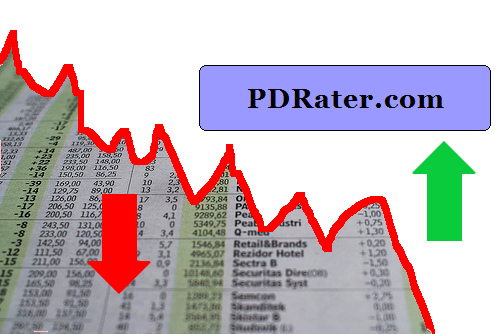
September 2008 was a pretty good month for PDRater.com. Yay! ((Original photo courtesy of Daniel Martini. Mad photoshop skillz, all mine!))
Not so good for the economy. Boo! Perhaps this website needs a new, darker, tagline? How about: “When you’ve lost everything else, you’ve still got PDRater.com”
Here’s my favorite posts from this past month.
I had the most fun with the “End of the World” posts from mid-September. If you read nothing else, check out the one labeled, “The End of the World: A To Do List“. That one is worth a look for my mad photoshop skillz alone.
For the more practical minded, the Road Warrior Checklists might be helpful. I think I’ve got at least one more “Road Warrior Checklist” in me. Also, I’ve provided some advice on what to do when your laptop stops working.
With the EAMS Body Part Codes search engine, you can search for the EAMS code associated with a body part of your choice. And, just in case you receive an Application for Adjudication of Claim or some document referencing the EAMS Body Part Code, you can even do a reverse lookup – searching by the EAMS Body Part Code!
Calculator
I was so happy to get my laptop back I built a whole new EAMS search engine and a better way to access forms. After having a hell of a time trying to locate the proper document type and document title on Friday I decided to make this my next project.
With the new EAMS forms on the DWC forms page, you now have a bewilderingly large number of forms to search through in order to find the one you need. Not only do you have to look through the 136 different forms offered by the page, but the EAMS forms are not easily distinguishable from the non-EAMS forms.
What I’ve done is create an EAMS and DWC forms search engine which scans through the DWC’s lists of forms by the form type, form name, and form number, and generates a list of just the forms which fit your search. On my forms search engine, the EAMS forms will be highlighted so you know its an EAMS form at a glance.
As you may already know, the WCAB’s EAMS sub-webpage allows you to search for the new ADJ numbers or the official address for a claims administrator or representative.
Later this week I’ll post about “why” and “how” I’ve developed these two new “calculators.” For now, I’ll just talk about why you’re going to want to join this site (for free!) and bookmark the calculators page.
User Friendly. Search engines shouldn’t need pages of documentation. One search box is all you really need.
Easier. My search engines aren’t picky. Enter “OAK0123456, OAK 0123456, OAK123456, OAK 000123456” and you’ll get “ADJ522195, ADJ522195, ADJ522195, ADJ522195.” The EAMS page requires you enter the WCAB or ADJ number with no spaces and exactly 10 characters.
More powerful. Search the Claims Administrators’ Offices and Representatives’ Offices database or unlimited ADJ and WCAB numbers simultaneously.
Faster searches. You can search for 50 WCAB and ADJ numbers on my site in the time it takes you to search for one at the EAMS page.
Better results. Although I use the same information as the WCAB search engines, I’ve designed my calculators to apply your search query to more of the information. The result is better search hits.
One page to rule them all. Both new search engines are built into the same page as the rest of my calculators. No need to poke around the WCAB-EAMS website. Bookmark one page and have all of the latest EAMS information right at your fingertips.
My backpack is my lifeline when I’m out and about. Some prefer a laptop case, rolling briefcase/suitcase, suitcase, or purse. I find that a backpack with a laptop section works best for me. I can carry a medium file, laptop, and the essentials.
Here’s my road warrior checklist for my backpack:
Front flap
Notepad
Pens
2 blue gel, 1 black pen, 1 red gel pen, 1 permanent ink marker, 1 highlighter
Google jumped head fist into the browser war last week.
The big players at the moment are Internet Explorer, Firefox/Mozilla, Opera, and Safari (Mac). From Google’s information about Chrome, it looks like it was designed based on Apple’s popular Webkit and Mozilla’s very popular Firefox. An added benefit is that this new browser is open source. Google’s online comic about Chrome and their new vision of how a web browser should look and behave is actually fairly interesting.
The other bit of good news is that I’ve downloaded and installed the beta version of Google’s Chrome in order to see whether it is compatible with this website and its web apps.
I am constantly trying to think of ways in which to improve this website and to make it a better resource for California Workers’ Compensation professionals. If you’ve got an idea as to how I can improve this site, drop me a line and let me know.
What’s that? I only promised the top five PDRater.com features? Don’t tell me you haven’t heard of the first rule of business: Under promise and over deliver.