Will it be a trifecta????

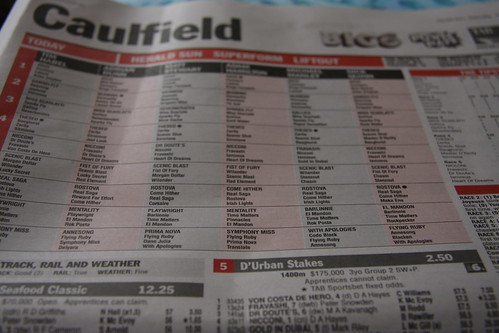
My personal best is two walk through settlements at two different WCAB district offices in a single morning.  Tomorrow I am going to attempt three walk through settlements at three different WCAB district offices in a single morning.  My plan is to start my day at the San Jose WCAB at 8:00AM, hit the Oakland WCAB afterward, jet to San Francisco, and then return to the office.  Google Maps tells me that this is going to be 134 miles over 2 hours and 39 minutes12

As I mentioned before, there’s a lot of things that can go wrong – traffic, long walk through lines, a broken photocopier. 3

But, I’ve done what I can to ensure this works.  I’ve called the other parties, have a checklist of everything I need to do in the order I need to do it, my cell phone is charged up4 , phone numbers for opposing counsel and my clients hand, GPS charged up, prepared Minutes of Hearing, Document Cover Sheets, Document Separator Sheets, Awards, and Orders. 56

If you happen to be in San Jose, Oakland, or San Francisco today stop me and say hello.  (And – pretty please may I cut ahead of you in line?)

Lastly, I’ll be checking back here throughout the day, so how about leaving me a word of encouragement in the comments?7

  1. If I had another walk through to do in Santa Rosa, I would be planning a different order. []
  2. Photo courtesy of Matthew Armstrong []
  3. Or, heaven forbid, EAMS could be working tomorrow.  THAT would foul me right up. []
  4. And a back up cell phone charged up too! []
  5. I even sacrificed a giant sequoia sapling as an offering to EAMS. []
  6. I’m even bringing two extra settlements just in case one falls through!  Although, this is really due to coincidence than meticulous planning… []
  7. I think live blogging the trip might be a bit much – but we’ll see. []

EAMS: Your filing is not just rejected, its terminated
It is strongly encouraged you take the EAMS survey

The Division of Workers’ Compensation has posted a link to an EAMS survey.  I noticed a lot of fliers around the Oakland District office of the Workers’ Compensation Appeals Board for this survey in the last few weeks.

Having taken the survey, I’m not optimistic its going to do anyone any good.  My problem with the survey is the inherent question bias.

Several of the survey questions deal with the availability and efficacy of EAMS training resources.  Take it from someone who actually designs software user interfaces – if people don’t like the user interface or the way your software works, they will either not use it or try to find ways around it.  The only viable solution is to design a system that doesn’t need a lot of training and explanation.

This is really shows the engineering perspective on the problem.  Once engineers have designed the system, its up to the user to read the manual and figure it all out.  The problem is not sufficient education, training, and understanding.  People are not suddenly going toembrace EAMS because now they understand how it works.

While its more work to comb through open ended responses from users, at least those answers will be more representative of their opinions.  Take the final question, for example:  “Please identify the top 3 improvements that you would like to see in EAMS . Please choose three and rank them in order of priority.”  Your only choices are:

  • Completing the OCR forms (formatting issues)
  • Completing the OCR forms (ambiguity re: required information)
  • Completing the OCR forms (technical issues)
  • Document processing times at the WCAB offices
  • WCAB clerks’ lack of knowledge regarding EAMS
  • Availability of EAMS information and documents when appearing at the WCAB for hearings.
  • Procedural inconsistencies amongst WCAB offices
  • Too much paper
  • Too few forms available online
  • Cover sheet / Separator Sheet
  • Limited availability of EAMS Access for external users
  • Limited amount of information available on public search
  • Assistance with EAMS forms from DWC call center
  • Other

This can’t possibly be an exhaustive list of user concerns with EAMS.  What other EAMS related issues do you perceive?

Up, dates!
Up, dates!

Unfortunately, one of the coolest features of my calculators is that some of them will give you the answer you’re looking for before you’ve even finished typing the search term.  This works with the:

While these are all very cool while you’re sitting at your computer, I found out (much to my dismay) that this system didn’t work at all when using these online calculators from my cell phone1 Well, I’ve updated the calculators to make them more compatible with more phones.2

Save yourself from your own workers’ compensation claim and just leave that heavy rating manual at home.

  1. It has to do with cross-browser compatibility and inconsistent support for javascript events.  I doubt anyone is interested in this. []
  2. Photo courtesy of Hunda []

Getting an upgrade!
Getting an upgrade!

Late last week a user asked for a new feature.1  He wanted to be able to perform the Ogilvie DFEC rebuttal calculation and have the results e-mailed to him.2 Well, I built it!3

To e-mail yourself a calculation, perform the calculation as normal.  When the website returns your calculation, it will say “E-mail Me!”  Just click that button and it will send an e-mail to the address you used to register for this website.

However, here’s the cool part:  I’ve installed this new e-mail system into every calculator4 No more having to copy and paste!  Just click one button and your calculation will show up in your inbox!5

Although I intend this to be a paid-subscription-only feature, I am going to leave it open for all users while I get some feedback.  So, what do you think?  Please leave a comment or shoot me an e-mail!

  1. Thanks Dennis! []
  2. Photo courtesy of Vernhart []
  3. Why, what did you do with your Saturday morning? []
  4. I haven’t installed it in some of the EAMS lookup functions []
  5. If you filled in the boxes for Applicant, WCAB #, and File #, it will include this information in your e-mail as well.  This is only for your convenience and not a requirement. []

Your request for hearing has been DENIED
Request for hearing DENIED

Tuesday I tried to submit settlement documents for a walk-through in Oakland. 1 I had prepared the document cover sheet, minutes of hearing, and had everything ready to go.  As per procedure, I left the packet with the court clerk and came back about half an hour later.

When I returned the settlement documents were still on the counter, but without any indication of which judge I would be seeking approval from.  I was told that the documents had already been signed by the day’s walk-through judge.

That’s when the fun started.

The computer told the clerk that the original documents in front of us had the judge’s signature and that the judge had the file.  The documents clearly did not have the judge’s signature.  However, since EAMS believed the documents were already approved, it felt (?) I  shouldn’t be given the opportunity to walk the documents through.  Even more interestingly, the EAMS was telling us that the documents had been approved that very afternoon.

Since I had stamped the documents in, the clerk did not want to return them to me so that I could ask the judge if he had signed the settlement.  Mind you, the judge would have had to sign the documents (in invisible ink) in the half hour between the time I dropped off the documents and came back to pick them up.  Eventually I was allowed to take the documents with me to ask the judge if he had signed them.

Once before the walk-through judge, I explained that I had no board file because EAMS believed he already had the file and had approved the documents I was handing him.  Puzzled, the judge went to investigate whether he had approved the documents that did not have his signature.  He returned a few minutes later saying that he did not have the file, he did not recall signing the documents, and that he did not recall signing any documents for myself or the Applicant’s attorney involved.  EAMS was adamant that he had signed those documents.

Thankfully everyone in the hearing room was good-natured about the entire thing.  The funniest part about the entire situation is that the court clerk, myself, and the judge were made to doubt our own recollection, the documentary evidence in front of us, and sanity because EAMS said so.

If you haven’t seen this already, you should really see this incredibly funny EAMS video.

  1. Photo courtesy of racatumba. []

Block Letters
Block Letters

According to a recent DIR news bulletin on November 17, 2008 the new WCAB Rules of Practice and Procedure were approved by the Office of Administrative Law and filed with the Secretary of the State and (apparently) made effective that same day.  If you haven’t already reviewed the new regulations, now’s a good time.  You can check them using the above links or download it here:

New WCAB Rules of Practice and Procedure (Effective 11-17-2008)

Since the new WCAB rules became effective, the new EAMS forms are now mandatory.  The exceptions named in the above bulletin are:

  • There will be a four-week “transition period” in effect through December 12, 2008 during which the “legacy”1 forms will still be accepted.
  • Forms requiring multiple signatures will be accepted in “legacy” form as long as the filer establishes that circulation began prior to November 17, 2008. 2
  • Unrepresented injured workers will be allowed until February 17, 2009 to use “legacy” forms.
  • Unrepresented injured workers who do not have access to a computer or typewriter will be allowed to fill in the new OCR forms by printing using block letters.34

Did you know there’s a handbook for the new Optical Character Recognition EAMS forms?  You can check it out here or download it here:

EAMS OCR Handbook (Rev. 11-24-2008)

  1. Read: non-EAMS []
  2. I suppose the easiest way to demonstrate this is to point out that at least one of the signatures was dated prior to 11/17/2008. []
  3. Though, I suppose printing clearly in all-capital letters migh work better… []
  4. Photo courtesy of Thomas Hawk. []

MicroSoft has no one to blame but themselves for my deleting MicroSoft Office.  Well, its partly Dell’s fault too, but that’s a long story I’ll tell some other time.  (Short version: Dell repaired a prior laptop and shipped it to a construction site in Oakland.)

Once I tried OpenOffice, I never looked back.  Its my preferred word processing, spreadsheet, presentation, office suite program.  Not only is it better than MicroSoft office in just about every way, but its also completely free.  You might be interested in trying it out because I believe it will help you tremendously with EAMS.

OpenOffice.org
OpenOffice.org

OpenOffice.org released version 3.0 of their program on October 13, 2008.  It was so wildly popular that their website was crushed under the overwhelming demand.  The three most important things to know about OpenOffice are:

  1. Its open source, so its completely free.  So, there’s no reason not to give it a shot.
  2. It can open, edit, and save to any MS Office 2000, 2003, 2007, and WordPerfect formats.
  3. It can print or export any file to a PDF.

If you’re a Workers’ Compensation professional in California, you’re probably dealing with EAMS.  Since filing things with EAMS means working with a lot of PDF’s.  In order to keep from reinventing the wheel, it makes sense to save those PDF’s of the document cover sheets.  But what if you need to make a small change later on?  Well, OpenOffice v3.0 can help with that too.

Using an extension ((basically a small program)) OpenOffice can open and edit and re-save a PDF file. Not even Adobe, the company that promotes the PDF format1 , does a good job of opening and editing PDF’s.

This is a really big deal to me because editing saved PDF’s is going to save me a lot of time editing settlement documents and various pleadings.

Update

I wrote the above about a month ago while I gave OpenOffice 3.0 a shot.  It won’t install on my Vista laptop but works great on my XP desktop.  I’ve reverted to OpenOffice 2.4 on the laptop while I wait for a fix.  OpenOffice 2.4 is still free, but it won’t open MS Office 2007 formats (which not everyone is using anyhow) and cannot edit PDFs.

  1. I know that’s redundant. []

In a prior post I talked about the top five PDRater.com features that make your life easier.  But, when was the last time you thought about your office staff, hmm?

How can you make their job easier?  Well, the good news is you don’t have to, I’ve given you all the tools to make your office run faster and more efficiently, saving you time and money.

  1. American Idol, Top 5
    Top 5

    MPN’s.  Medical Provider Network lists, complete with logins and passwords.  Whether you’re on the applicant or defense side, your staff is going to need access to these lists.  You can find a doctor for your client or so you can give a list of doctors to opposing counsel.

  2. EAMS DWC to ADJ Number Search Engine. Chances are you’ve got cases with more than one “legacy” Board file number.  With this search engine, you can search for the corresponding EAMS ADJ numbers.  And, you can search for as many Board (or ADJ) numbers as you want at the same time, just by separating them with commas.
  3. EAMS Office Search Engine. When your staff is filling out documents for you, they’re going to need to know the correct name and address for all the parties.  When they need to call opposing counsel, they can also look up the phone number with this search engine.
  4. EAMS Document Type and Document Title Search Engine. Your staff needs a quick way to find the exact EAMS document type and EAMS document title for every document cover sheet getting filed with the Board.  Sure, they could comb through four or five pages of 3 point font on the Board’s form.  Or, better yet, they could search and find exactly the document type and title they need.
  5. EAMS Body Part Codes. There are 62 different body part codes in the EAMS system.  There’s no need to keep the EAMS chart on hand, just tell your staff what body part you want on the form and have them look it up on this website.
  6. DWC / WCAB  / EAMS Forms. There are now more than 130 different forms, new and “legacy”, available on the DIR website.  There’s no reason your staff should have to scroll up or down looking for the right form.  Type in a few characters and get a direct link right to the exact form you need.
  7. Date Calculator. Sure, everyone in your office could have their own date wheel.  In my experience, date wheels and money charts are two of the most commonly swiped office aides right after the good stapler and scotch tape.  With a date calculator built into the website, all of your staff can quickly and easily calculate the number of days between two dates or what day it will be in a certain number of days.

So, there you have the top 5, er 7, PDRater.com website search engine and workers’ compensation calculators your staff is going to benefit from using.  Registration for this site is quick, easy, and free.  Save your staff some time and frustration by having them register for this website and try out the calculators, search engines, and links.

It was not very long ago I announced 100 registered users for this site.  Today there are more than 200 registered users of this website.1  Since that time:

Pass Go, Collect 200

Wikipedia has this to say about the number 200:

  • 200 MeV is the temperature of quark-gluon plasma phase transition. 4
  • An HTTP status code indicating a successful connection.
  • The sum of dollars given in the classical Monopoly game to a player passing Go.
  1. Photo courtesy of Mark Strozier. []
  2. Scroll down about halfway to see the list of new calculators. []
  3. As long as the economy and presidential election keeps giving me material, I’m not afraid of writer’s block. []
  4. Of course it is… []